
Settings
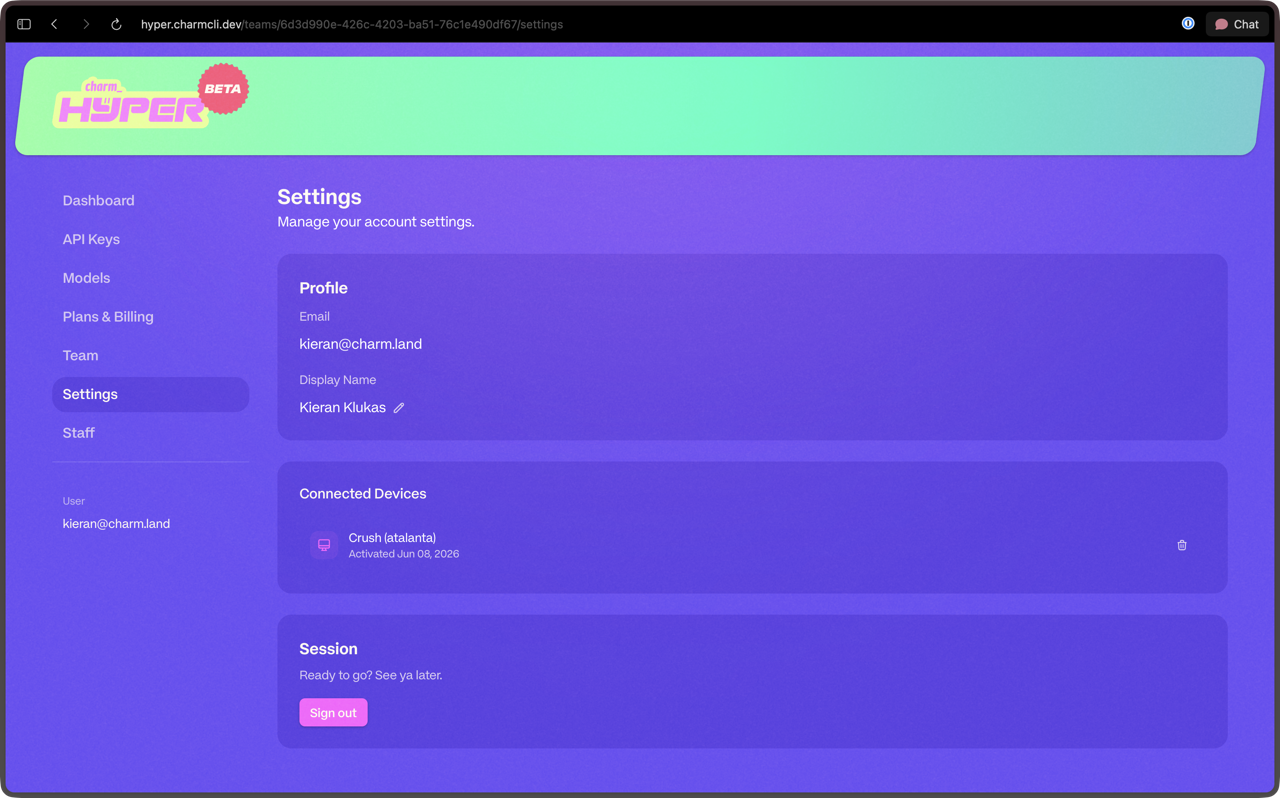
The Settings page lets you manage your Hyper profile, connected devices, and account. You can access it from the Hyper dashboard or directly at hyper.charm.land/settings.
Edit Display Name
Your display name appears across the Hyper dashboard and in team member lists. Click the edit button next to your name to update it. Changes take effect immediately.
Manage Connected Crush Devices
If you use Crush with Hyper, this section shows all the devices currently linked to your account. You can view device names, last active timestamps, and revoke access for any device you no longer use. Revoking a device invalidates its authentication token immediately.
Sign Out
Signing out ends your current Hyper session across the dashboard and any connected integrations. You will need to sign in again to access your account.
Delete Account
You can permanently delete your Hyper account from the Settings page. This action is irreversible.
GDPR Data Retention
In accordance with our GDPR policy, once you delete your account all of your data is removed within 30 days. During that period your account is deactivated and inaccessible. After the 30-day retention window expires, all personal data, usage history, and API keys are permanently purged from our systems.